
ComputerSafe3.0.0.5 - Download
You'll be able to download in few seconds.
Publisher Description
Special Limited Offers available - See Web Site for Details
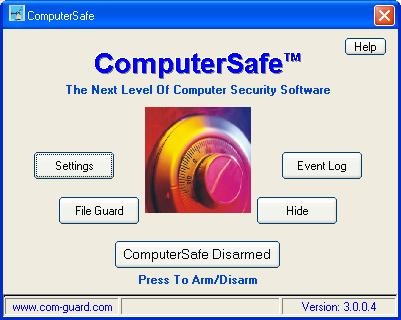
As its name suggests, ComputerSafeTM provides an internal Safe inside your computer where you can store your vital information and protect yourself against identity theft and data security breaches.
ComputerSafe safeguards a virtually unlimited number of files. Its unique combination of file protection, event recording, and notification messaging guards critical programs and data to protect against loss, corruption and unwanted access.
File and Folder Locking, Hiding and/or File Encryption
Select the protection you desire with a few mouse clicks, assuring your files and other assets are kept safe from any attempt to compromise your privacy.
Violations are Tracked and Stored
ComputerSafe records unauthorized access violations in a protected event-log file with a time and date stamped description of the threat. The system records key stroke activity that may provide clues as to the intruders intentions or their identity.
Notification Services Theft Recovery
ComputerSafe sends various types of remote notifications when violations occur - pages, phone calls and emails. If the system is set up to record video of the violation, the resulting video clip can be attached to the email*. Additionally, if the system is stolen, the next time it is connected to the Internet and an internal ComputerSafe alarm is tripped, an email notification will be sent containing the IP address of its location. This data can be used to physically locate the computer.
About ComputerSafe
This Access Control program is available in English. It was last updated on 29 September, 2026. ComputerSafe is compatible with the following operating systems: Windows.
The company that develops ComputerSafe is Com-Guard, Inc.. The latest version released by its developer is 3.0.0.5.
The download we have available for ComputerSafe has a file size of 6.3 MB. Just click the green Download button above to start the downloading process. The program is listed on our website since 2005-07-19 and was downloaded 0 times. We have already checked if the download link is safe, however for your own protection we recommend that you scan the downloaded software with your antivirus. Your antivirus may detect the ComputerSafe as malware if the download link is broken.
How to install ComputerSafe on your Windows device:
- Click on the Download button on our website. This will start the download from the website of the developer.
- Once the ComputerSafe is downloaded click on it to start the setup process (assuming you are on a desktop computer).
- When the installation is finished you should be able to see and run the program.
Program Details
System requirements
Download information
Pricing
Version History
version 3.0.0.5
posted on 2005-07-19
Disclaimer
External Download
We do not host ComputerSafe on our servers. We did not scan it for viruses, adware, spyware or other type of malware. This app is hosted by the software publisher and passed their terms and conditions to be listed there. We recommend caution when installing it.
The external download link for ComputerSafe is provided to you by apps112.com without any warranties, representations or guarantees of any kind, so access it at your own risk.
If you have questions regarding this particular app contact the publisher directly. For questions about the functionalities of apps112.com contact us.
